
Appearance
AI Triage Suggestions
Capturing a task should be fast. Type the thing, hit Enter, move on. But every captured task eventually needs metadata: which Area does it belong to, which project, what tags, when's it due. That second pass is where most GTD systems collapse.
AI Triage proposes that metadata for you. You confirm with a tap. Nothing is applied silently.
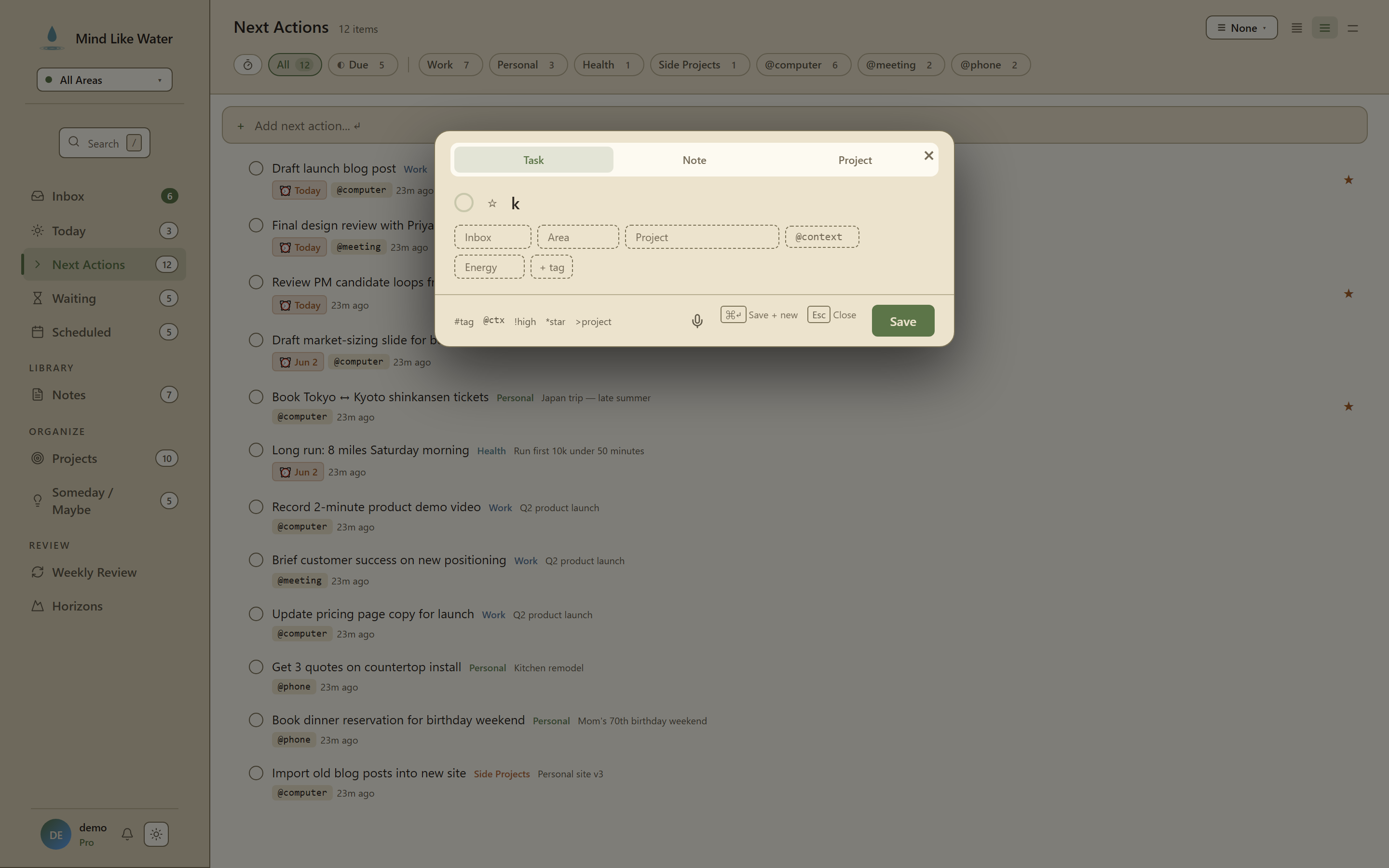 AI Triage in Quick Capture: dashed Suggested chips appear under the title as you type. Tap to accept, × to dismiss.
How it works
- You capture a task (typing, voice, or email-in).
- MLW sends the title to Anthropic's Claude along with the names of your areas, projects, and tags (including person tags). For email captures, the sender and a short excerpt of the email body ride along too — subjects alone are often too vague to triage. It does not send any other content from your account.
- Claude proposes per-field suggestions with a confidence score: maybe an area, maybe a project, maybe a few tags, maybe a due date.
- The next time you open the task in the detail pane, the suggestions appear as dashed chips in a row above the normal chip rail, marked with a
Suggestedlabel. - Tap a chip to accept it (that field gets set on the task). Tap the small × next to a chip to dismiss it.
Suggestions you don't engage stay dashed until you close the detail pane, then quietly disappear.
What gets suggested
- Area. The area-of-focus whose name or domain best matches the task.
- Project. An active project the task seems to belong to. MLW sends Claude all of your active projects (no cap), so even an obscure project should be findable.
- Existing tags. Up to 4 matching tags from your existing tag list (any category: context, label, person).
- New tags. Up to 3 tags Claude thinks would fit but you haven't created yet. These render with a
+ createprefix; tapping creates the tag and applies it. - Due date. When your title contains an explicit or clearly-implied date phrase ("due Friday", "tomorrow", "next month"). Resolved to an absolute date.
- Status: Waiting. When the title clearly indicates blocked-on-someone ("waiting on Sam", "blocked by legal").
If Claude isn't confident about a field, it stays empty. A model that's good at saying "I don't know" beats one that's confident but wrong.
Voice vs typed text vs email
All three paths run extraction. The asymmetry is just how aggressive the extractor is:
- Typed text. Deliberate, so the threshold is higher. A wrong suggestion is more annoying when you typed carefully.
- Voice. Looser by nature ("uh, dentist Friday"), so the threshold is lower and the extractor is more aggressive.
- Email. Most conservative of the three. Email bodies are noisy — newsletters, receipts, and notifications are full of dates and names that aren't commitments — so the model is prompted to only suggest dates you must act by, and to ignore marketing copy.
For email captures, suggestions are generated in the background right after the capture lands, so they're waiting in the detail pane when you get to your Inbox.
When you create a task via voice, the original transcript is saved to the task's notes by default (searchable and editable). You can turn that off in Settings → AI.
What gets sent to Claude
- The task title (and the voice transcript, if it came from voice)
- For email captures: the sender address and the first ~1,200 characters of the email body
- The names of your areas, projects, and tags (including person tags), so Claude can match against what you already have
- Your last ~10 accepted suggestions, used as in-context examples of how you organize
What does not get sent: the contents of any other tasks, notes, daily pages, calendar, or anything outside the task being triaged.
See the privacy policy for the full disclosure.
How it gets better over time
Three signals adjust suggestion quality:
- Per-call grounding. Every call sees your current areas, projects, and tags. New tags or projects you create immediately become candidates.
- Recent patterns. Your last accepted suggestions go into the prompt as examples. After ~2 weeks of normal use, Claude has a real read on your tagging style.
- Per-field calibration. Accepts, rejects (×), and ignores (close-without-tapping) all log differently. Repeated rejection of, say, project suggestions raises the bar for future project suggestions specifically.
The base AI model isn't fine-tuned on your data. It never sees your account beyond a single prompt at a time, and Anthropic doesn't retain or train on API requests.
Privacy and control
Settings → AI gives you the controls:
- Off / Suggest. Off means no AI inference of any kind, no edge-function calls. Suggest is the default for Pro accounts.
- What we send. Verbatim list of the data shipped on each call, always visible (no expandable hide).
Free accounts don't see the panel at all. AI Triage is Pro-only.
A daily cap of 200 suggestion calls per user prevents runaway cost; beyond that, suggestions silently disable for the day.
When suggestions don't appear
- The task is too short (under 2 characters).
- AI mode is set to Off.
- You're on the Free plan.
- The daily cap is reached.
- Claude returned no high-confidence matches (correctly silent).
Tips
- Trust the silence. Empty fields aren't a failure. They're Claude saying "I don't have signal here." Forcing suggestions you don't trust is worse than not suggesting.
- Use the × deliberately. Dismissing a wrong suggestion teaches the system more than just ignoring it. Explicit rejects move the per-field threshold meaningfully; ignores barely register.
- Capture in your natural voice. "Dentist cleaning Friday, errands tag" works as well as the smart-syntax shortcuts (
>project,@context,*star). The AI extractor handles the loose form so you don't have to remember syntax. - Don't over-tag. Claude proposes up to 4 existing tags + 3 new tags per task. Accepting all of them on every task creates noise. Pick the ones that help future-you find the task.
Next: AI Weekly Review →
Related
- Quick Capture. Where AI Triage fires from for typed tasks.
- Voice Capture. Voice flow with AI extraction layered in.
- Tags. The user vocabulary AI Triage suggests against.