
Appearance
Search
Find anything in the system (tasks, projects, notes) by keyword.
The shortcut
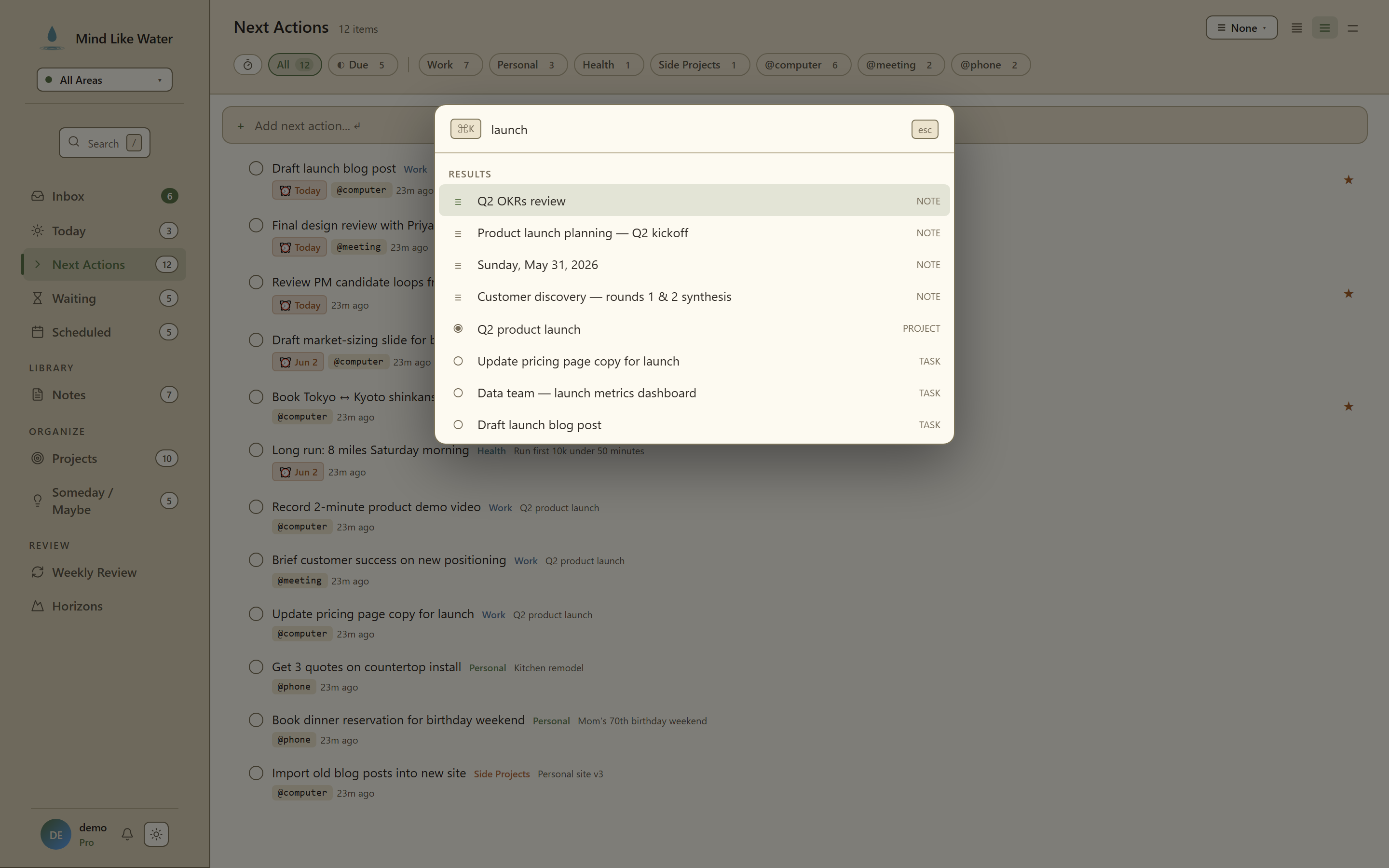 The search palette: results grouped by type (notes, tasks, projects) with the current query at the top.
Press / (or Ctrl+K) to open the search modal. Works from anywhere except inside a text field. Press Esc to exit the field first if needed.
What gets searched
- Task titles and notes
- Project names and successful outcomes
- Note titles and bodies
Results are grouped by type. Click a result to jump directly to it.
What doesn't get searched (yet)
- Tag names in isolation. Filter via tag chips in the filter bar instead.
- Completed/dropped items older than recent. These are archived out of the default result set.
To find tasks or notes involving a person, search for their @name tag or click any @person mention to open the person sheet.
Tips
- Short queries work best. "morning bell" finds the project faster than "launch morning bell subscription service."
- Search is instant. Start narrowing as you type. Don't hit Enter; just scan results live.
- Escape to close. Or click outside.
Next: Keyboard shortcuts →
Related
- Tags. The structured way to find related items.
- Notes & references. Full-text search reads note bodies.